
131 lines
2.7 KiB
Markdown
131 lines
2.7 KiB
Markdown
---
|
||
title: Majaro 配置记录
|
||
date: 2022-12-18 20:45
|
||
tags: ["Arch Linux", 配置]
|
||
categories: Linux
|
||
thumbnail: "https://hexoimage.pages.dev/file/3cf6864a213a1bf09c5ff.png"
|
||
---
|
||
|
||
|
||
|
||
## 添加AUR源
|
||
|
||
manjaro是基于Arch的,所以也能使用Arch的AUR
|
||
|
||
修改**pacman.conf**文件
|
||
|
||
```
|
||
sudo nano /etc/pacman.conf
|
||
|
||
# 在最后添加以下三行内容
|
||
|
||
+ [archlinuxcn]
|
||
+ SigLevel = Optional TrustedOnly
|
||
+ Server = https://mirrors.tsinghua.edu.cn/archlinuxcn/$arch
|
||
|
||
#之后保存更新
|
||
|
||
sudo pacman -Syyu
|
||
```
|
||
|
||
**安装archlinuxcn-keyring包导入GPG key**
|
||
|
||
```
|
||
sudo pacman -S archlinuxcn-keyring
|
||
```
|
||
|
||
**GIT**
|
||
|
||
```
|
||
sudo pacman -S git
|
||
```
|
||
|
||
**chrome浏览器**
|
||
|
||
```
|
||
#chrome浏览器
|
||
|
||
sudo pacman -S google-chrome
|
||
```
|
||
|
||
## 配置
|
||
|
||
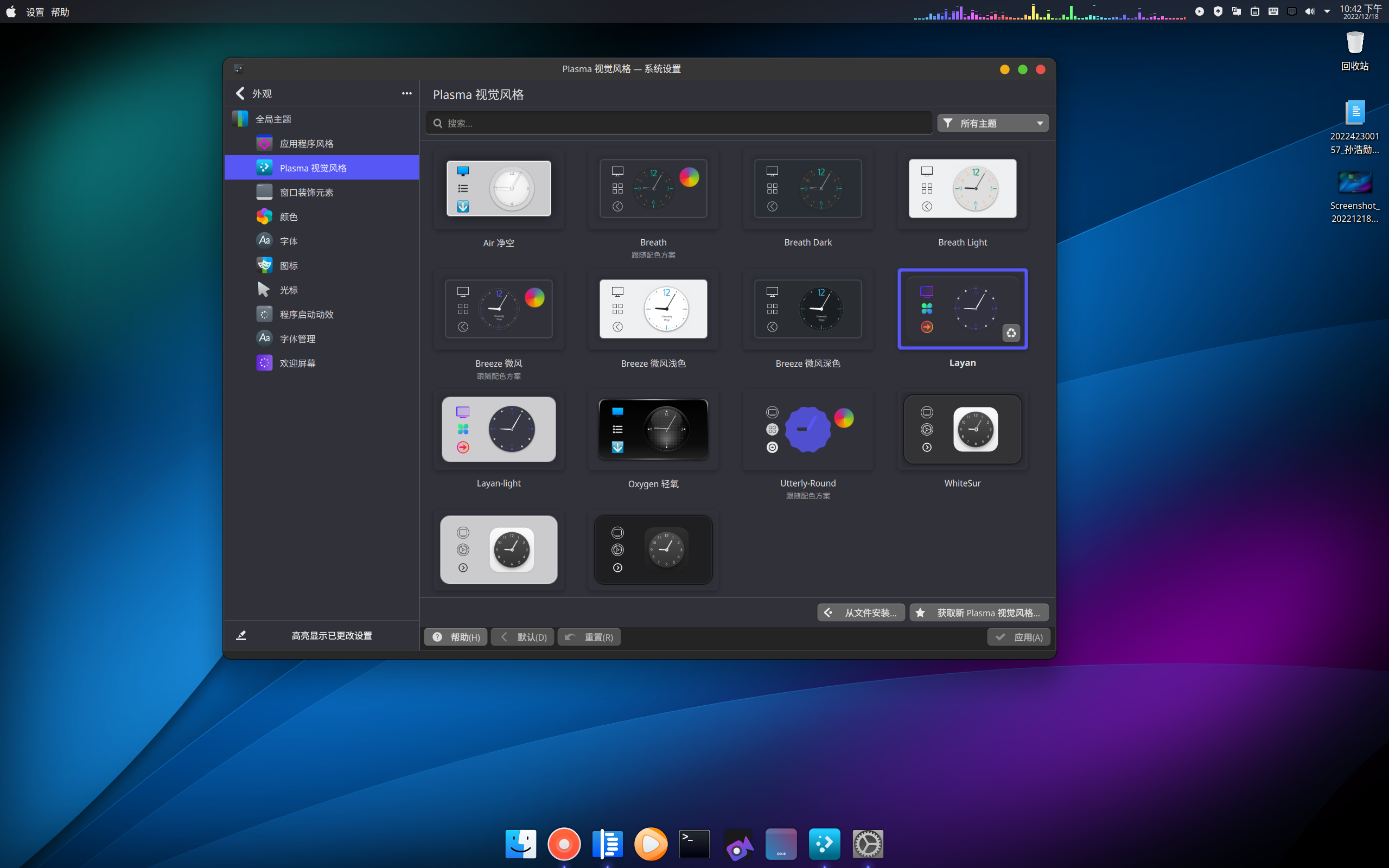
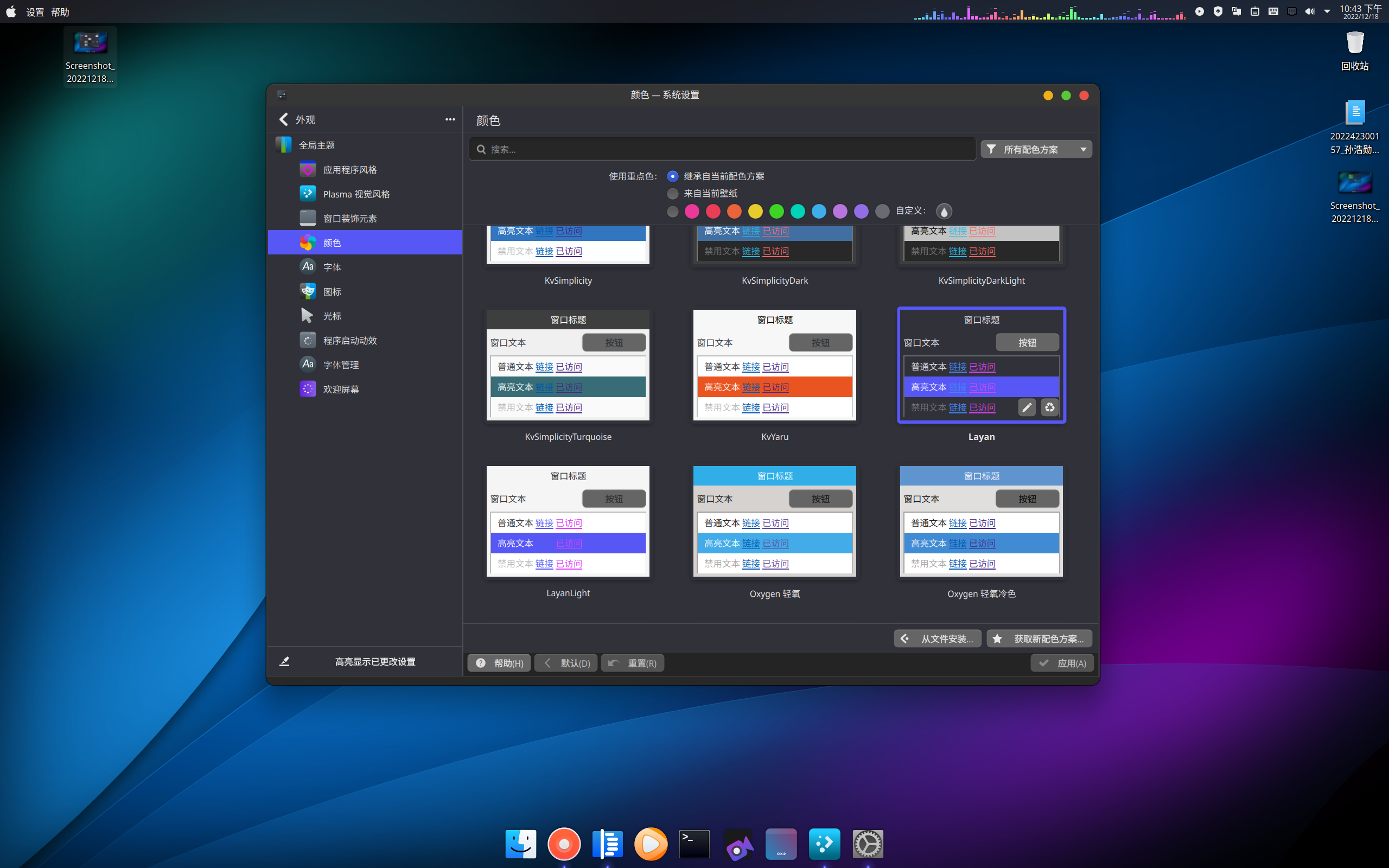
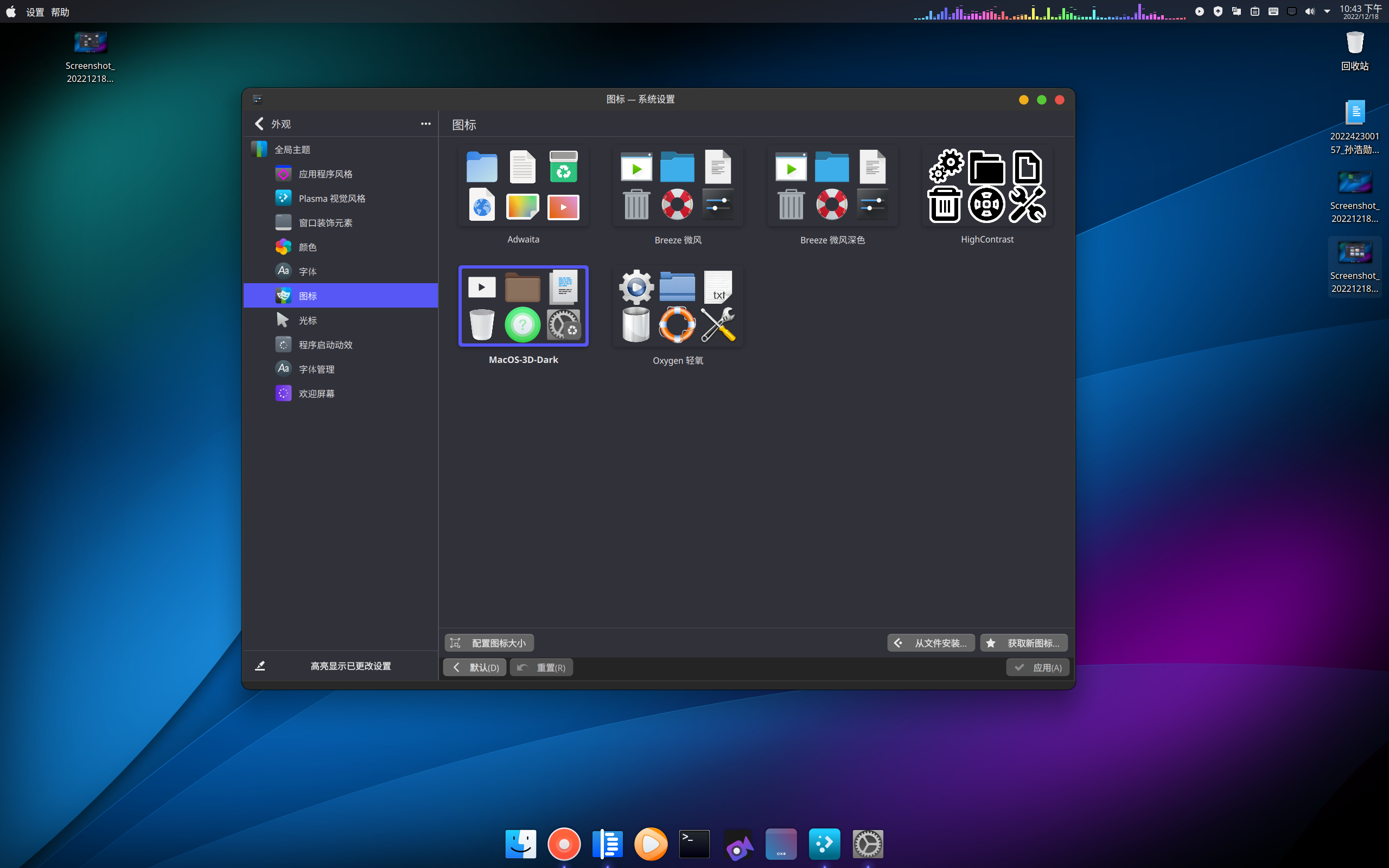
### **全局主题-layan**
|
||
|
||
[https://github.com/vinceliuice/Layan-kde ](https://github.com/vinceliuice/Layan-kde)
|
||
|
||

|
||
|
||
**Plasma样式**
|
||
|
||
|
||
|
||
**颜色**
|
||
|
||
|
||
|
||
**图标**
|
||
|
||
|
||
|
||
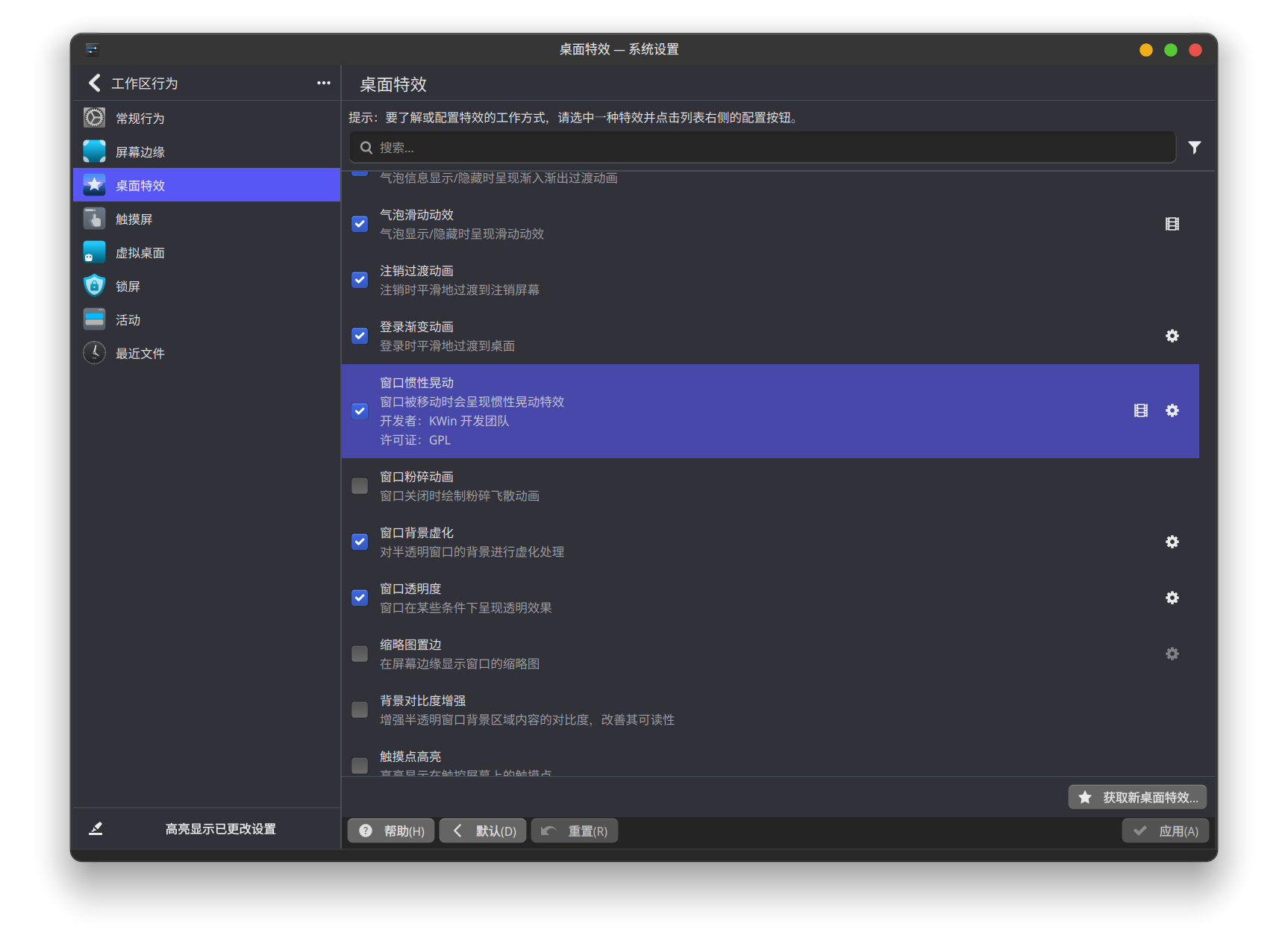
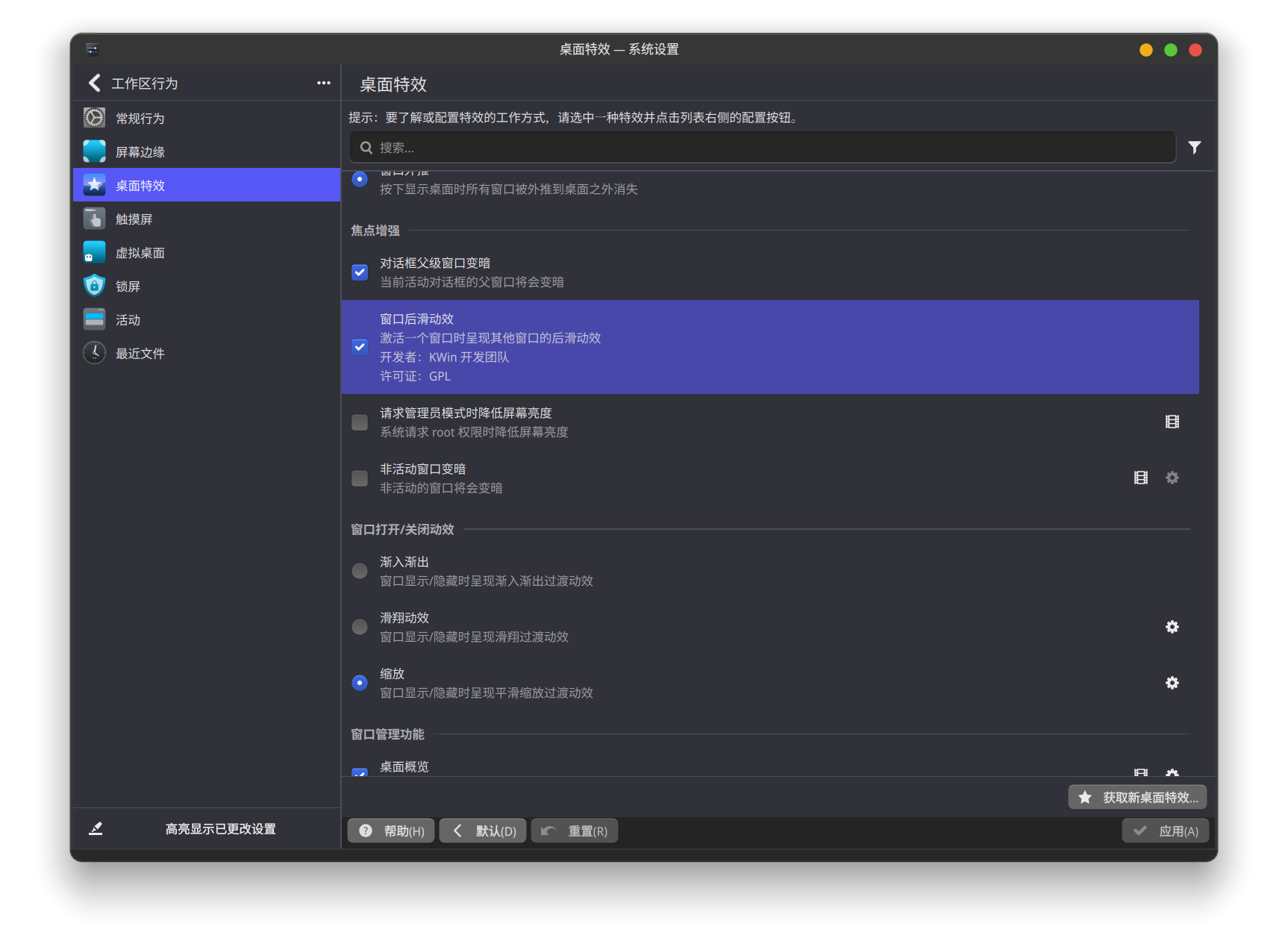
**设置——工作区行为——桌面特效**
|
||
|
||
|
||
|
||
|
||
|
||
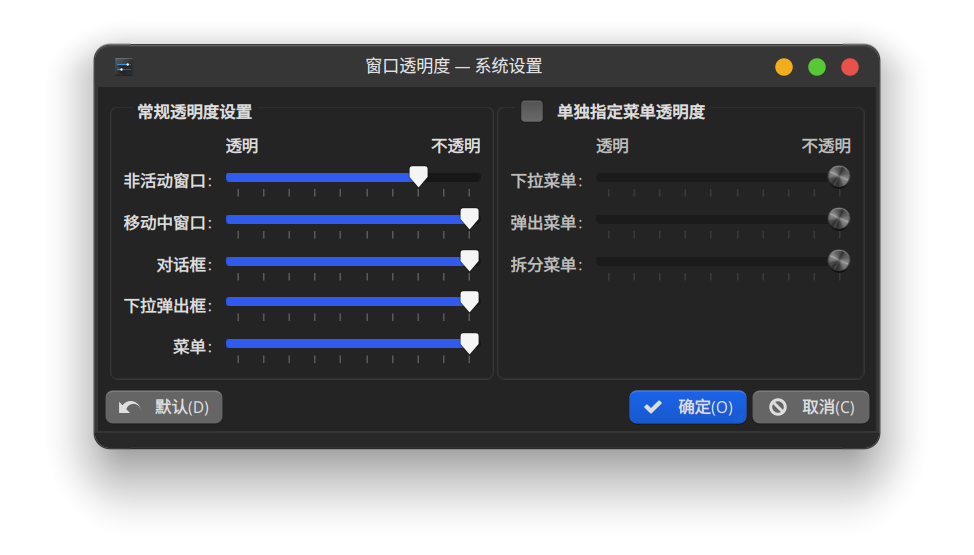
**窗口透明度**
|
||
|
||
|
||
|
||
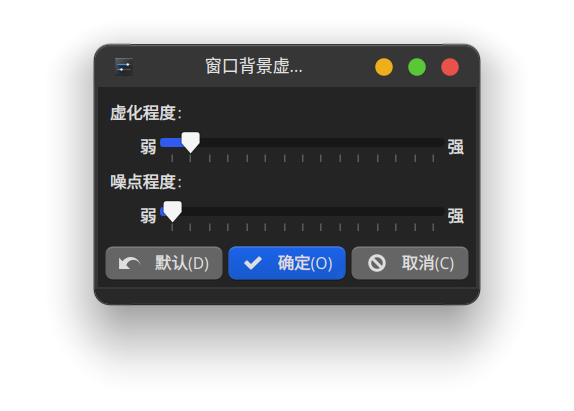
**窗口背景虚化**
|
||
|
||
|
||
|
||
### **gnome-gtk程序风格**
|
||
|
||
文件:[https://pan.baidu.com/s/1SZbrEzFI2SFCBMEJ0zmuHQ ](https://pan.baidu.com/s/1SZbrEzFI2SFCBMEJ0zmuHQ) 密码: r8t5
|
||
|
||
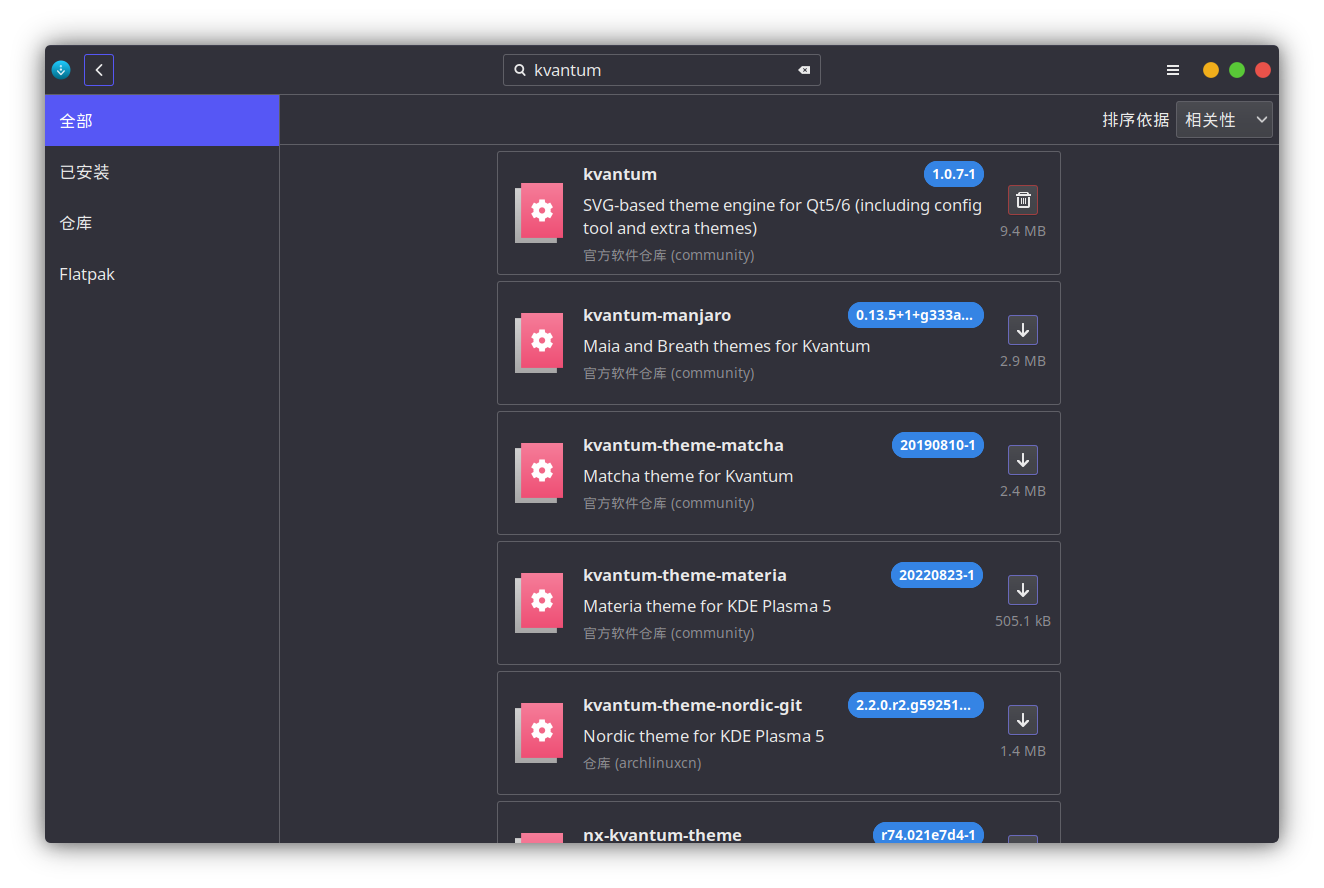
用到的软件 kvantum
|
||
|
||
软件库里有,点击直接安装
|
||
|
||
|
||
|
||
也可以用终端安装
|
||
|
||
```
|
||
sudo pacman -S kvantum
|
||
```
|
||
|
||
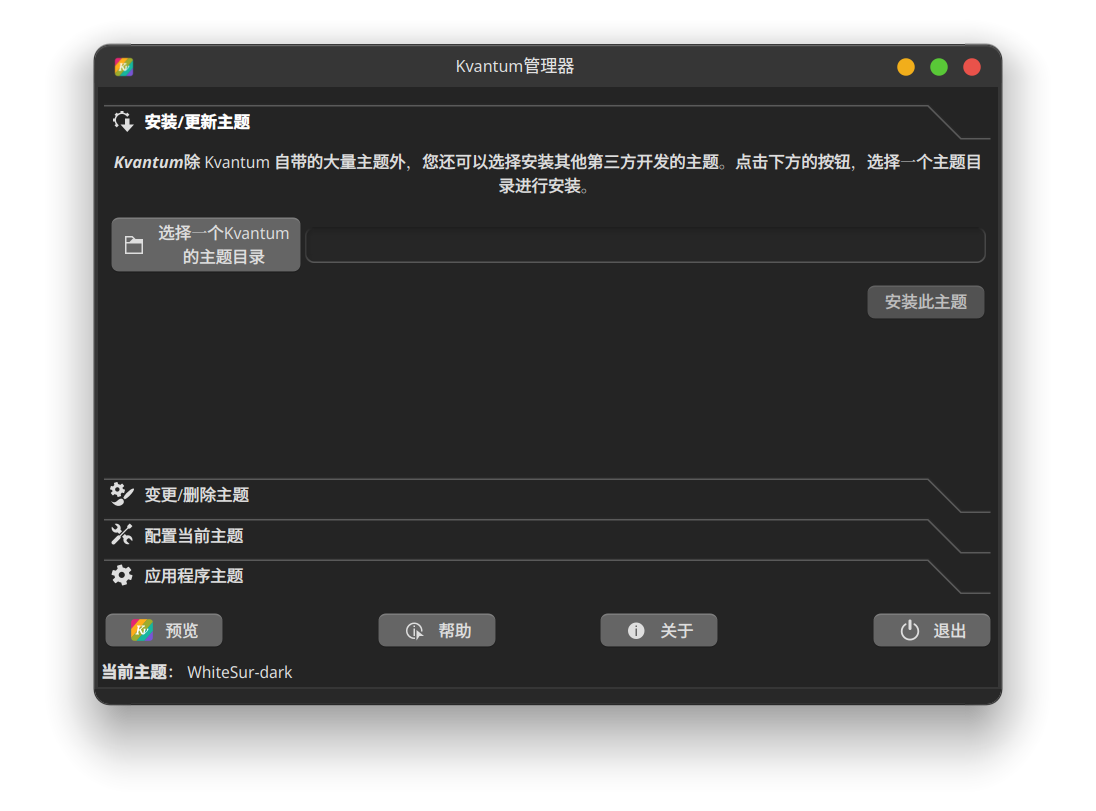
选择主题安装
|
||
|
||
|
||
|
||
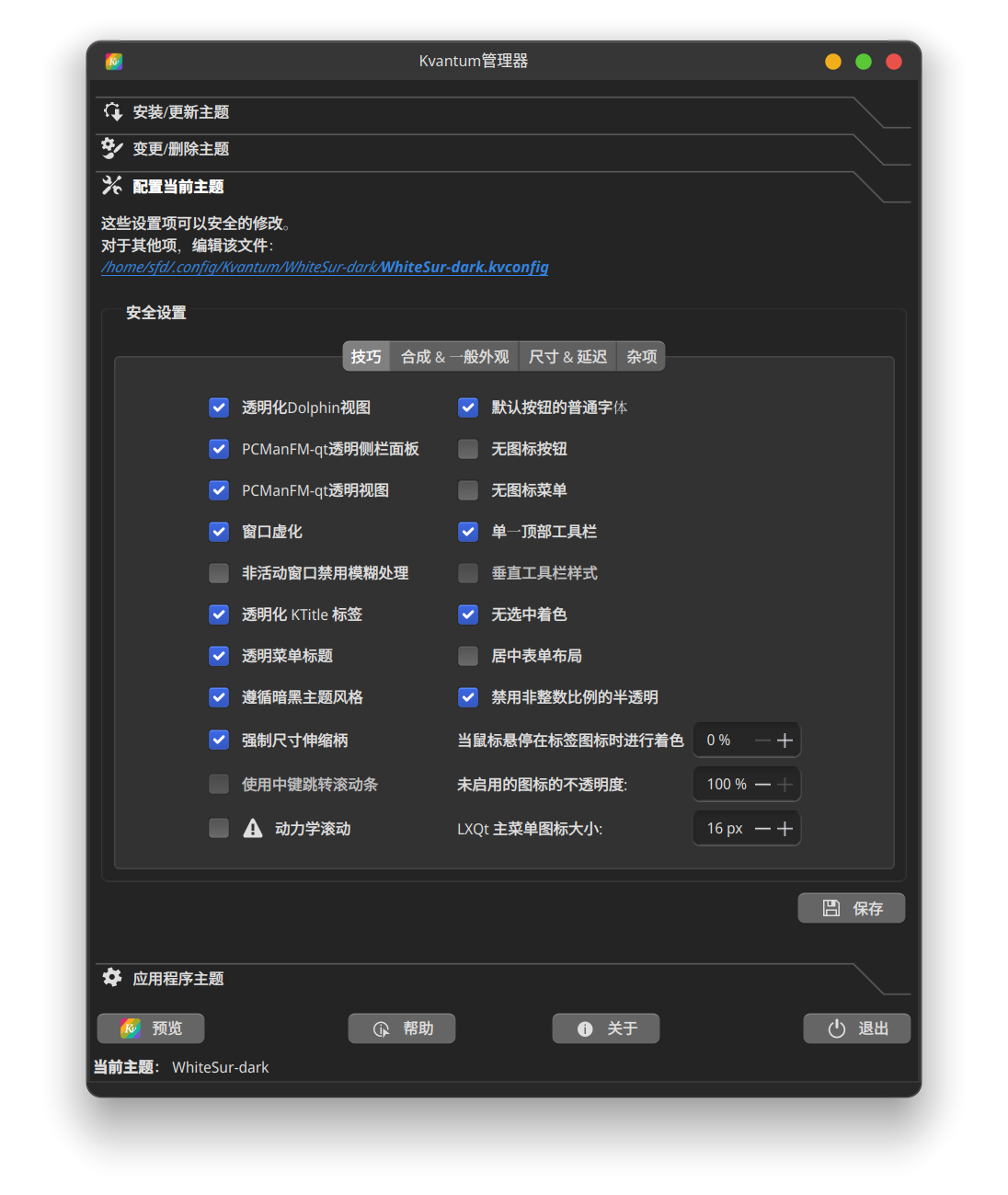
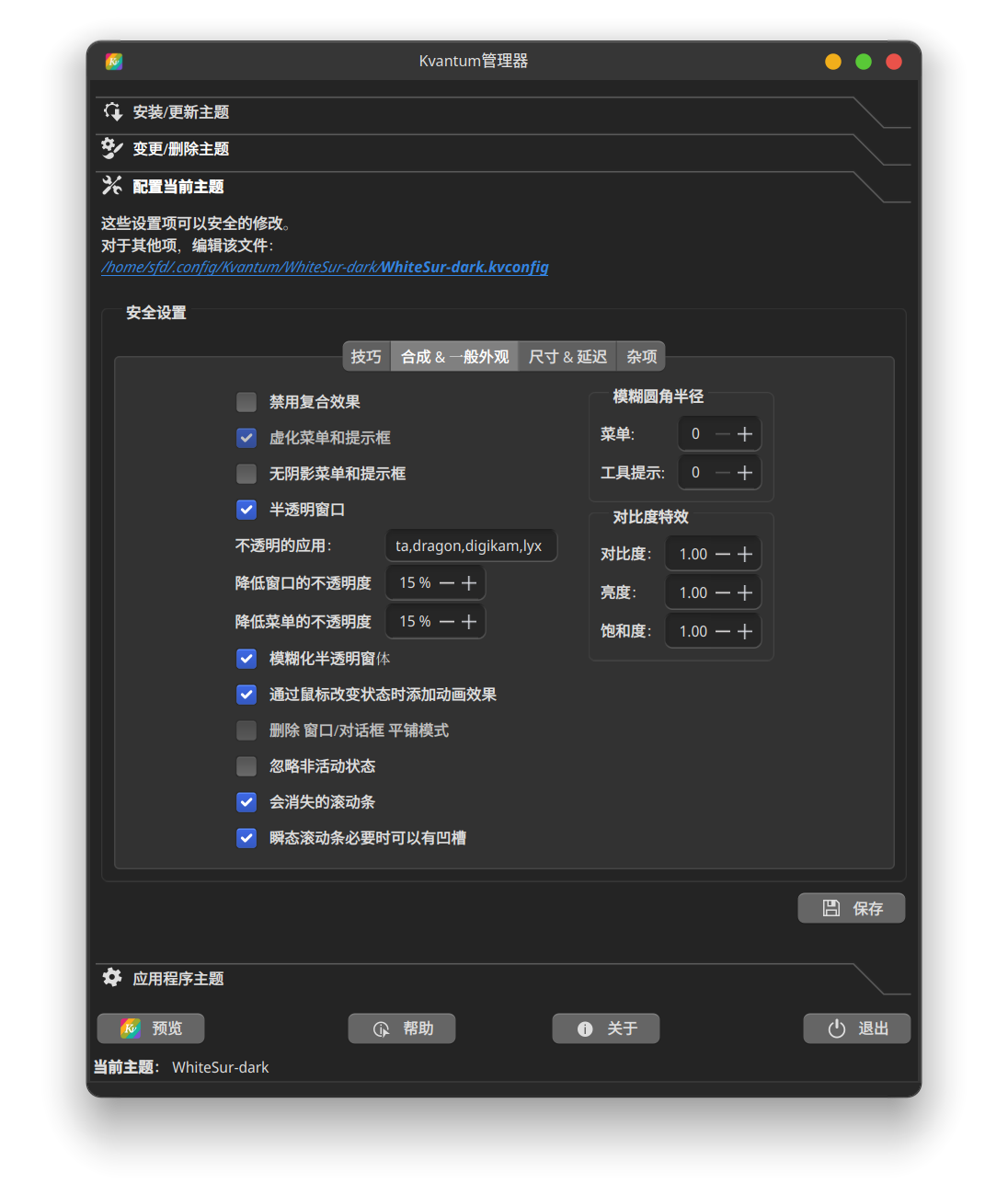
稍作修改
|
||
|
||
|
||
|
||
|
||
|
||
**保存,然后在设置里应用 kvantum 即可**
|
||
|
||
### 任务栏插件
|
||
|
||
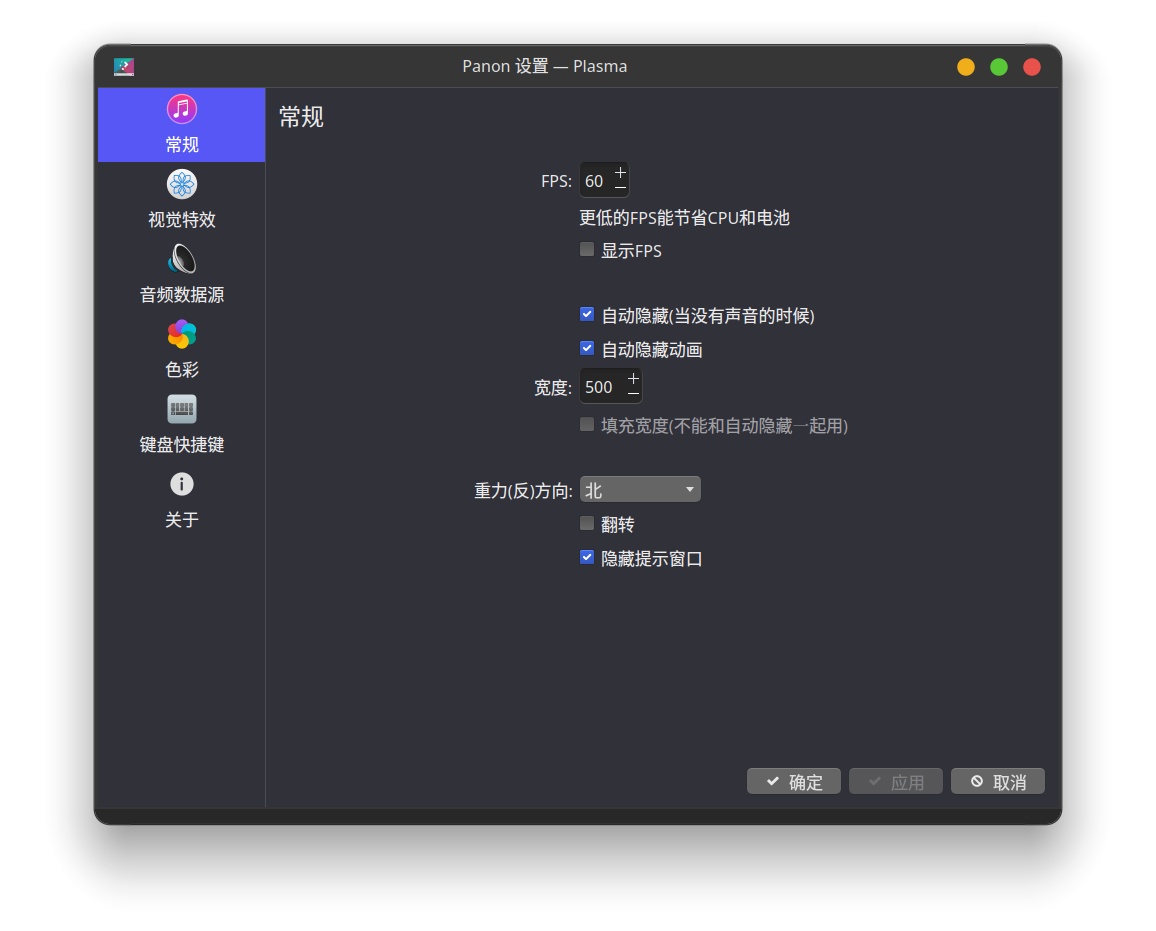
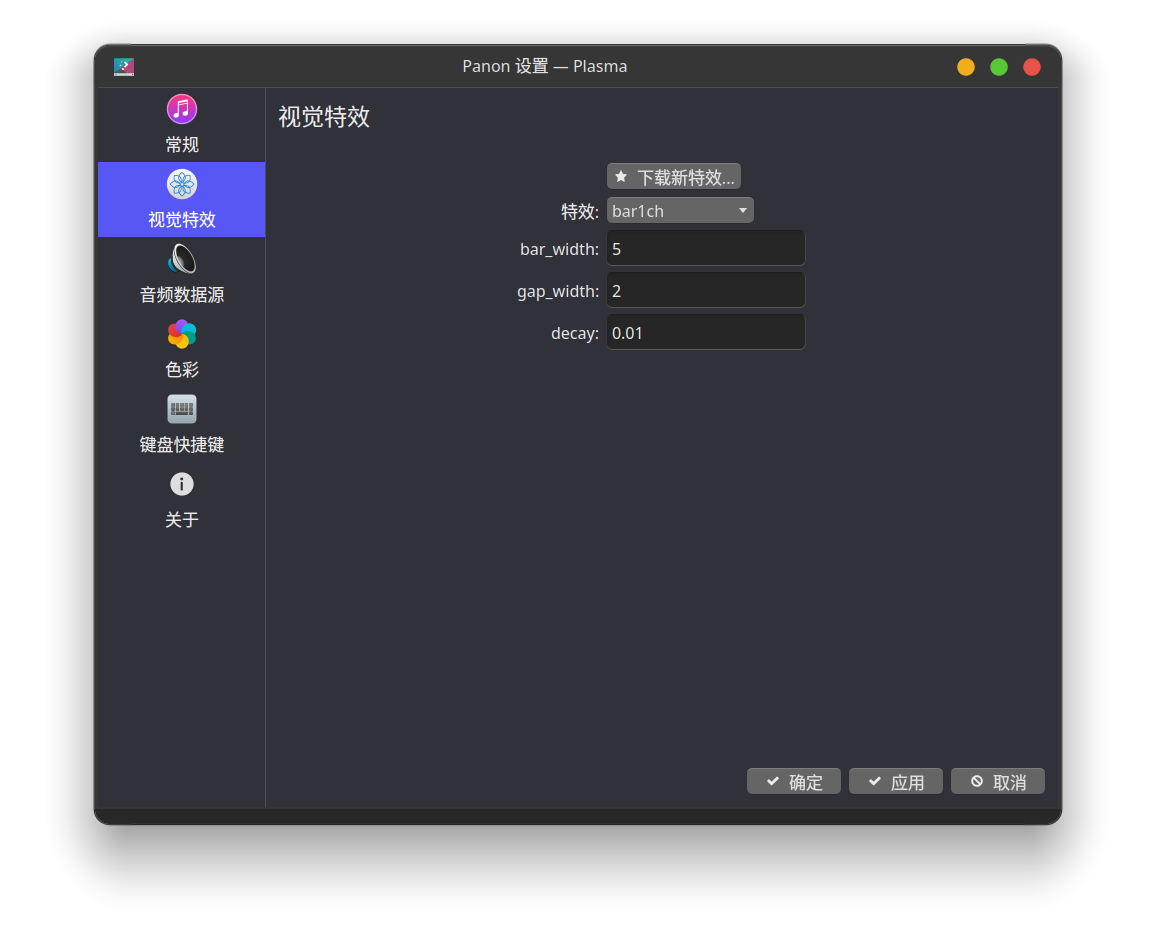
**panon音乐插件**
|
||
|
||
[https://github.com/rbn42/panon ](https://github.com/rbn42/panon)
|
||
|
||
**配置**
|
||
|
||
|
||
|
||
**Dock栏**
|
||
|
||
```
|
||
sudo pacman -S plank
|
||
```
|
||
|
||
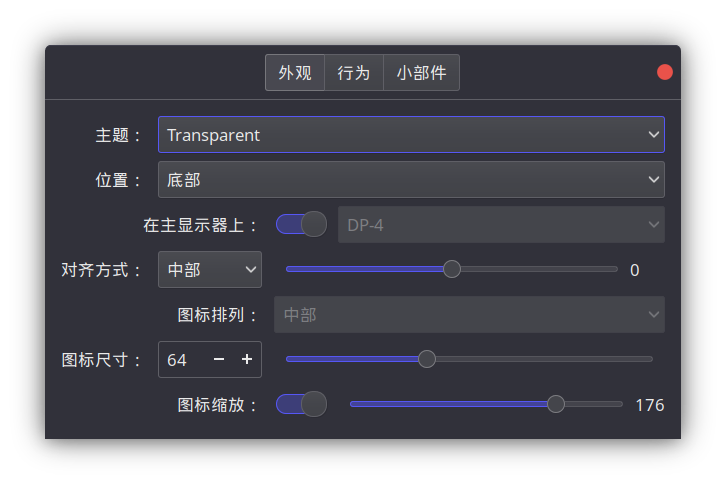
**配置**
|
||
|
||
 |